A frozen screen, an app that closes itself or a display that flickers can make a good phone feel broken. If you are asking why is my phone glitching, my advice is to try the free fixes before you pay for a repair. This guide walks through the causes in the order I would check them, on iPhone and Android, from a quick restart to the point where a repair shop makes sense.
Key Takeaways
- Restart the phone first, and force restart an iPhone that is frozen.
- Install system and app updates, which carry the makers' bug fixes.
- Keep some storage free, which Google says can help a phone run better.
- Use safe mode on Android to tell an app problem from a hardware one.
- If the screen is cracked or still flickers in safe mode, get the phone checked.
What glitching usually means
Glitching is a catch-all word. The makers' help pages name the symptom instead, and the ones they cover fall into four groups. The screen freezes, apps crash or lag, the display flickers, or videos stutter. Each symptom points to a different first step, so my tip is to note when the glitch happens. A pattern, such as only in one app or only when the phone is hot, shows you where to look first.
Why is my phone glitching so much? Restart it first
Where to find it On iPhone with Face ID, press volume up, then volume down, then hold the side button
A restart is my first step for any glitch, because it is free and quick. On Android, open the power menu and tap Restart.
If an iPhone is frozen and will not respond to touch, use a force restart. On any iPhone with Face ID, press and quickly release the volume up button, press and quickly release the volume down button, then press and hold the side button until the Apple logo appears. Apple notes this can take longer than ten seconds, so keep holding.
If you are still wondering why is my phone glitching so much after a restart, the steps below cover the usual causes in order.
Update the phone and your apps
Where to find it On iPhone, Settings > General > Software Update. On Android, Settings > System > Software updates
Updates are where the makers ship their bug fixes. Apple recommends automatic updates as the best way to get its features, security updates and bug fixes. Most Android system updates install on their own too. Before a big Android update, Google suggests Wi-Fi and a charge of at least 75 percent.
Update your apps as well. Google says some downloaded apps can make a phone restart itself, freeze, crash or run slow. In my view, an app update is the first cure to try, because it costs nothing.
Free up storage space
Where to find it On iPhone, Settings > General > iPhone Storage. On Android, Settings > Storage > Free up space
Storage is the next thing I check. Google says clearing space can help your phone run better, and Apple shows a Storage Almost Full alert when space runs low.
On iPhone, the storage screen lists recommendations, such as offloading an app you do not use, which removes the app but keeps its data. On Android, Free up space lets you pick old photos, videos and apps to remove. Back up your photos before you delete anything. Our guide on how to back up photos covers the free options.
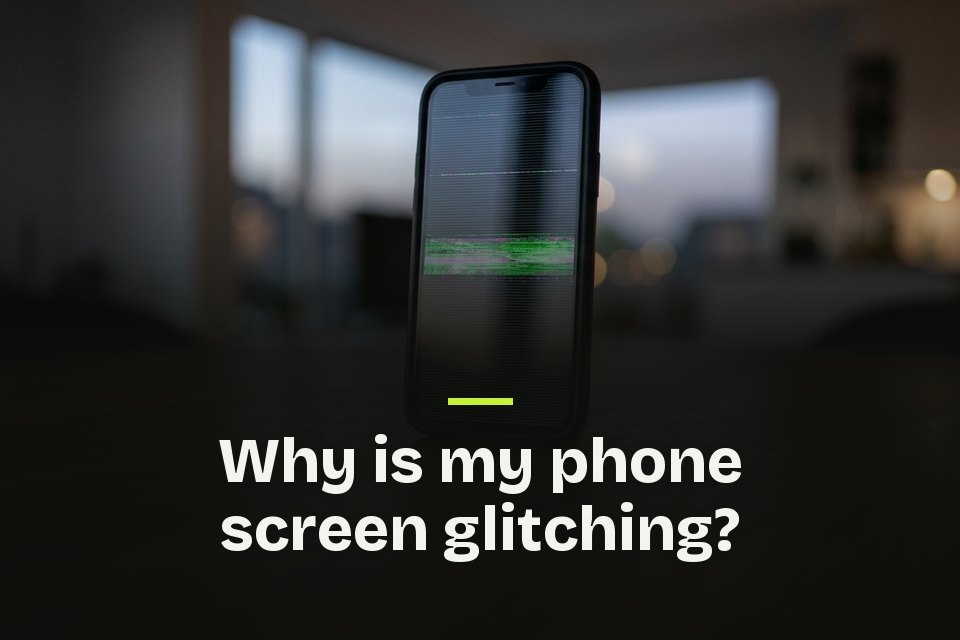
Why is my phone screen glitching?
Where to find it Clean the glass, then remove the case, the screen protector and any cable
Start with the simple causes Apple lists. Make sure the screen is clean and free of debris and water, disconnect any Lightning or USB-C accessories, and take off the case and screen protector. If the screen works once a cable is unplugged, try a different outlet, cable or charger.
Samsung says flickering is usually caused by a software issue, such as a glitch in an app or a software bug, and suggests turning off Adaptive brightness if it continues. A cracked screen is different. Samsung says damage to the screen could be causing the flicker, and it suggests booking a repair.
So why is my phone screen glitching when nothing looks broken? Samsung's answer is usually an app or a software bug, and the next test checks exactly that.
Why is my phone glitching on Android? Try safe mode
Where to find it Safe mode steps vary by phone, so check your phone maker's support site
On Android, this is the test I would run next. Safe mode starts the phone with only its core apps. Use the phone normally in safe mode, and if the problem goes away, Google says an app is likely the cause.
Then restart normally and remove recently downloaded apps one at a time, restarting after each one, until the glitch stops. If the problem stays in safe mode, Google says an app is not the cause. Samsung goes further for a flickering screen. If the flickering persists even in safe mode, it is likely a hardware issue.
On iPhone, the same idea works by hand. Delete the app you installed just before the glitches started and see if they stop. Our list of hidden Android features has more settings worth knowing once the phone behaves again.
Why is YouTube glitching on my phone?
Where to find it App Store or Google Play, then search for YouTube and tap Update
When only videos stutter or show an error, check the connection before the phone. YouTube's help page starts there. Restart your internet connection and run a speed test, since other devices on the same network can slow yours down. YouTube also suggests lowering the video quality.
If the connection is fine, close the YouTube app or restart the phone. Then update the app, and if the glitch keeps coming back, uninstall and reinstall it.
If every video app stutters, not only YouTube, I would go back to the storage and update steps above.
Rule out heat and malware
Where to find it On Android, Google Play Store > profile icon > Play Protect
Heat changes how a phone behaves. Apple designs iPhone for use between 32 and 95 degrees Fahrenheit. When it gets too hot, the display can dim, charging can slow or stop, and some apps run with lower frame rates. That can look exactly like a glitch, so let the phone cool down. Apple also warns that heavy heat can shorten battery life for good, and our guide on how to make phone battery last longer covers that side.
Malware is worth ruling out too, especially if the glitches came with a flood of pop-up ads. The FTC's malware guide covers phones as well as computers, and its signs of malware include slowing down, freezing, crashing and repeated error messages. On Android, Google Play Protect checks your apps for harmful behavior, so keep it on. My rule on any phone is to install apps only from the official stores.
When to reset or repair the phone
If nothing above helped, a factory reset is the last software fix. Google warns that a reset erases all data on the phone and recommends trying other solutions first. Back up everything and make sure you know your Google Account password before you start. I would back up an iPhone before any reset as well.
Some glitches are hardware. If the screen is cracked, or if it still flickers in safe mode, Samsung's advice is to contact its support or book a repair. I would do the same with any phone, through the maker or an authorized shop.
My Glitch Fix Routine
My advice is to fix a glitching phone in this order, cheapest and fastest first.
- Restart the phone, or force restart it if the screen is frozen.
- Update the system and every app.
- Free up storage space.
- Test in safe mode on Android, or delete the newest app on iPhone.
- Let a hot phone cool down and check for unknown apps.
- Reset or repair only when the glitch survives all of that.
The first four steps cost nothing, and you can run them all in one sitting.
FAQs about a glitching phone
- Why is my phone glitching after an update?
- Apple says an iPhone can feel warmer after a software update, particularly a major one, and calls that normal. It cools when the process is complete. If the glitches outlast the warmth, I would restart the phone and update every app.
- Why is my phone glitching after I dropped it?
- A drop can crack the screen, and Samsung notes that a damaged screen could be causing a flicker. If the glitches started right after a fall, I would book a repair.
- Why does only one app keep glitching?
- I would start with that app. Update it, and if that does not help, uninstall and reinstall it, the same steps YouTube's help page gives for its own app. On Android, you can also clear the app's cache, which Google says deletes temporary data.
- How do I restart an Android phone without the power menu?
- Google's battery help page gives a way that works on most phones. Press the power button for about 30 seconds, or until the phone restarts, and tap Restart if the screen asks.
- Does safe mode delete anything?
- It can remove some Home screen widgets, so Google suggests taking a screenshot of your Home screen first. To leave safe mode, you can usually restart the phone normally, and any apps you removed while testing can be reinstalled once you find the one that caused the trouble.
- Why does YouTube glitch in my phone's browser?
- YouTube's help page suggests the latest version of a browser such as Chrome, Firefox or Safari, and clearing the browser's cache and cookies. It also suggests reloading the page or restarting the browser.
- Does Google Play Protect remove bad apps?
- It can. Google says Play Protect is on by default, runs a safety check on apps from the Play Store before you download them, and may deactivate or remove harmful apps from your phone.
- When should I factory reset a glitching phone?
- Only after the other fixes fail, because a factory reset erases all data on the phone, and Google recommends trying other solutions first. If the screen still flickers in safe mode, Samsung points to hardware, so I would contact the maker about a repair before resetting.