A phone that turns hot in your hand after a few minutes of video, or while it sits on the charger, is doing more work than it can shed as heat. If you keep asking "why does my phone overheat so fast," the cause is usually how the phone is being used or charged, not a broken part.
Apple, Google and Samsung list the same short set of triggers, and most take a minute to change. That makes the answer to "why does my phone overheat so fast" a short checklist, in the order I would work through it.
Key Takeaways
- Video calls, games, navigation and streaming warm any phone, and doing them while it charges adds more heat.
- Charge with the maker's cable and charger, and keep metal and cards off a wireless pad.
- Keep the phone out of hot cars and direct sun, since heat can shorten battery life for good.
- When it gets too hot, unplug it, close the heavy apps and let it cool in the shade.
- A phone that keeps overheating after these steps is worth a check by its maker.
When a warm phone turns into an overheating phone
Where to find it On a Pixel 6 or later, Settings > Battery > Battery diagnostics
A warm phone is normal. Apple says an iPhone can feel warmer during setup, a backup restore, a major update, wireless charging, camera use or high-quality video streaming, and that it cools once the task ends. On a Pixel, Battery diagnostics checks the phone's temperature and gives tips for it.
Overheating is the stage where the phone protects itself. Charging slows or stops, the screen dims, the camera flash switches off and apps run slower. If the heat keeps rising, an iPhone shows a temperature warning and a Pixel can turn itself off. My rule is simple. Warm is fine, but a warning means stop.
Why does my phone overheat?
Most of the heat comes from work the phone is doing. Google's Pixel help names video calls, camera recording, streaming over Wi-Fi or 5G and long navigation sessions. Samsung adds gaming, file transfers and full brightness for long periods.
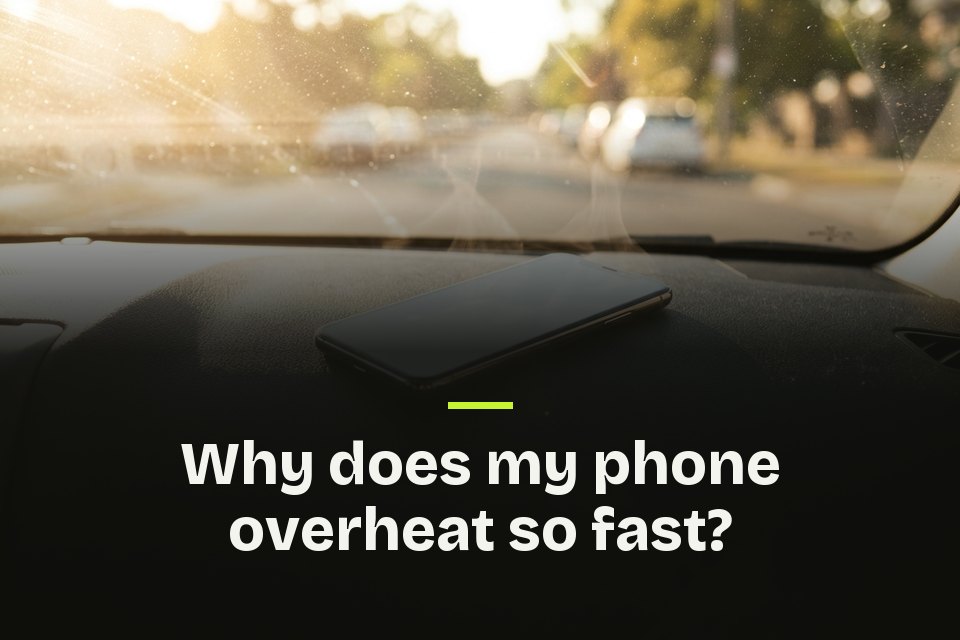
Where the phone sits matters just as much. Samsung lists direct sunlight, bedding, bags, pockets, spots near heaters and weak-signal or roaming areas. Stack two of these, such as navigation on a sunny dashboard while charging, and the heat adds up fast.
Why does my phone overheat when charging?
Where to find it On iPhone 15 and later, Settings > Battery > Charging
Charging makes heat on its own. Apple says a battery warms up as it charges, so an iPhone lowers the charging current as it nears full. Samsung says the phone and charger may get hot during wireless or fast charging, and charging may stop if the battery gets too hot. On an iPhone, that pause shows as Charging On Hold.
Extra heat usually comes from what happens around the charge, such as a game running while the phone fast charges. Samsung also points to non-genuine cables, dust or liquid in the port, and cards or metal on a wireless pad. My tip is to use the maker's cable and let the phone rest while it fills up. That Charging screen's charge limit can also stop an iPhone at 80 percent.
Why does my phone overheat on FaceTime?
A video call keeps the camera, the screen and the connection busy for as long as you talk. Google lists video calls first among the things that can overheat a Pixel, and Apple counts camera apps and high-quality video among the tasks that warm an iPhone. A long FaceTime call does both.
Join from Wi-Fi when you can, as Google suggests, and turn the brightness down. I would unplug the charger for a long call. If it still gets hot, switch the camera off for a few minutes.
Why does my phone overheat so fast in the sun or a hot car?
Heat around the phone leaves it less room to cool. Apple designs the iPhone to work between 32 and 95 degrees Fahrenheit and warns that very hot conditions can shorten battery life for good. It also says not to leave the phone in a parked car, which can get hotter than the 113 degree storage limit.
Its ideal range is much narrower. Apple says an iPhone performs well across a wide range, ideally 62 to 72 degrees Fahrenheit, and advises against charging it above 95 degrees.
Apps and settings that keep a phone hot
Where to find it On Android or iPhone, Settings > Battery
Google says a phone might overheat because of the same issues that drain its battery, so the battery screen is a good place to look. An app near the top of the usage list that you barely opened is a suspect. Keep your apps updated too, as Samsung recommends.
Google's safe mode test, written for crashes and slowdowns, is worth a try. If the phone runs cool in safe mode, look at recent downloads first. Samsung phones also offer Light mode, which lowers the processor's top speed to cut heat. The settings that make your phone battery last longer keep it cooler as well, and my list of hidden Android features has more settings worth a look.
How to cool down a hot phone safely
Google's advice for a hot Pixel is short. Unplug it, move it somewhere cooler and stop using it until it cools. Apple's steps for an iPhone temperature warning are close. Turn it off, move it out of the sun and let it cool down.
Samsung adds closing your apps. I would also keep the phone out of bedding and pockets while it cools, and charge again only once the heat is gone.
When the heat points to a bigger problem
I would treat a phone that overheats every day, during light use in a cool room, as a problem these steps will not fix. Google tells Pixel owners to contact support if the phone keeps turning off, and Samsung's Members app has a Phone Diagnostics tool that checks the battery. Before any repair, back up your photos in case the phone needs a reset.
Keep It Cool From Here
Most overheating comes down to too much work, charging heat or sun, often all at once. Take one of the three away and the phone usually settles down.
FAQs about why does my phone overheat so fast
- Why does my phone overheat so much when I am barely using it?
- Samsung says cutting background activity helps reduce heat, and its Power saving mode limits data sync and background location use. Check the battery usage list for an app you rarely open.
- Is it bad if my phone overheats?
- An occasional warm spell is normal, but heat is hard on batteries. Apple says very hot conditions can permanently shorten an iPhone's battery life.
- Is it safe to charge my iPhone overnight?
- Yes. Apple says an iPhone stops charging once the battery is full, so leaving it plugged in overnight is safe.
- Why does my iPhone stop charging at 80 percent when it gets warm?
- Apple says the software might limit charging above 80 percent when the recommended battery temperatures are exceeded.
- Can a phone case make my phone overheat?
- The wrong one can. Google lists cases made for your specific phone among its ways to keep a Pixel from getting too hot.
- Can a weak signal make my phone hot?
- Yes. Samsung lists weak-signal and roaming areas among the places a phone heats up more easily, so Wi-Fi can help.
- Does wireless charging make a phone hotter?
- It can. Apple names wireless charging as a time an iPhone may feel warm, and Samsung says the phone and charger can both get hot.